
Complete Workflow - Iceland Highlands
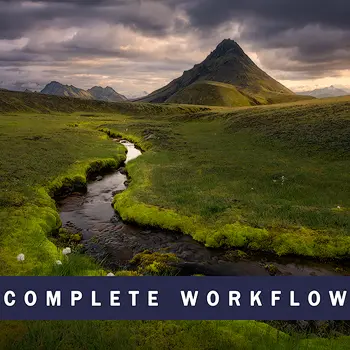
Iceland Highlands is the next installment in my Complete Workflow series of courses. It is a comprehensive tutorial that takes you from start to finish through my image processing workflow. Using a range of techniques, I guide you in crafting a final image that expresses an artistic vision of the stark landscape and captivating light. Being able to follow another photographer's entire workflow is a valuable way to pick up new ideas and learn new skills.
The course features the tools and techniques I use daily so you can see what my actual workflow looks like. Applications include Lightroom Classic 13, Photoshop 25, and the TK9 Plugin. Wherever I can, I show how to do the techniques both with TK9 and without. However, note that some of the advanced masking steps aren’t practical or possible without it.
The TK Plugin is not included with this tutorial. You can get the TK Plugin on the Tutorials & Panels page.
"Halfway through the video and your teaching skills are just something else. But mostly, damn I want to do another trip with you guys. Such a great trip!"
- Thor the Viking www.Thor-Photography.com
"I have completed your course, Iceland's Highland, and I think it is your best yet. When I feel I have Photoshop covered I find I learn something new. You must make more and I wish you more exciting trips and adventures."
- David Court
Topics:
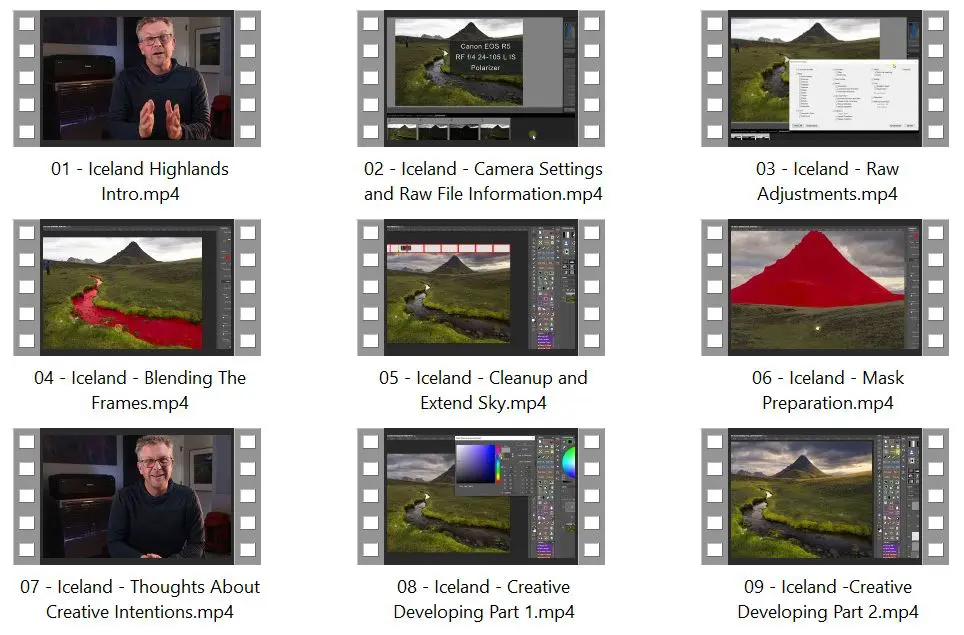
- An overview of the digital tools used (software and hardware) and a look at the adventures in Iceland that lead to the photo.
- Information about camera settings and how and why I photographed the frames needed to create the final piece.
- My creative vision for the image and ideas for how to develop it.
- Planning and executing the necessary raw-level adjustments in Lr.
- Methods for blending exposure, polarization, and wind blur.
- Step-by-step demonstrations of all the creative adjustments I used for light sculpting, color, and contrast.
- These include mask making, burning, dodging, color dodging, Camera Raw soft-light glow, luminosity painting, color balance, and more.
Course Includes:
- 9 Chapters
- Practice images (Full-resolution Canon EOS R5 raw files)
- Over 3 hours of instruction
- Chapters by topic for quick reference
- English subtitles/captions
- Complete transcripts of each chapter
- MP4 video format
- 2560 x 1440 Quad-HD video resolution
This course is intended for Intermediate to Advanced Photoshop users.
sample chapter excerpts
contents