
Discounts
Use the following discount codes when purchasing multiple items at the same time and save. Copy and paste the code into the "Add Promo Code" box in the cart.
- Two items (10% discount)--OEPcombo10
- Three items (15% discount)--OEPcombo15
- Four items (20% discount)--OEPcombo20
- Five or more items (25% discount)--OEPcombo25
Testimonials
I discovered Sean's work early in 2011, and immediately purchased his video tutorials on Extending Dynamic Range in Landscape Photography. To say this was a life-changing discovery is not over-stating the truth.
- Alister Benn, alisterbenn.com, ExpressivePhotography.com
In my opinion, your tutorials are the best I’ve seen for many, many years. You go through all the necessary details in a very calm and sophisticated way and concentrate on the really important bits. In short, your training courses are the best!
-Michael Schmitz, Surreal Fine Art Photography www.michaelschmitzphotography.de
You guys really hit it out of the park with the latest release of Tony’s panel and Sean’s training/tutorial video. The panel is impeccably designed and Sean’s video is extremely comprehensive. All of this at such an incredibly fair price. Thank you for the effort you’ve both put forth through the years, in providing tools to make us better artists.
- James Kirkish, The Shuttered Image www.theshutteredimage.com
I got Luminosity Mask course and I have to say it's probably the best video tutorial I've ever used. I really appreciate how you broke out the subjects into quick demonstrations so that I can go back and revisit sections that I need help with later. Your videos really teach how to bring back RAW images to the reality we perceive in person. I'm so grateful you took the time to put these together. Your videos not only expanded my photoshop skills but my artistic vision.
- Cody Wilson, CodyScapes.com
Sean’s videos are...an excellent accompaniment to not just Tony's luminosity mask panel but also Tony’s initial PDF notes. The series takes each aspect of Tony's notes and covers it again via a video tutorial and Sean has a good, logical way of guiding the viewer through the use and application of the masks. The videos are broken down into short segments so it's also easy to jump around when you want to re visit something later on without hunting through hours of footage.
- Alex Hare www.alexharephotography.com
You are a truly gifted educator. I can’t tell you how much I’ve learned by 'seeing what you see’. As one educator to another, you have succeeded in getting me to interact with the content, which is what it’s all about. And I just keep coming back for more. Thanks for all the work."
-Ellen G
Sean's approach to teaching is reflective of his past as a middle school teacher. His method for breaking down each task makes learning Photoshop much more understandable. The pace he uses to cover the various subjects leave you with a complete understanding of the topic. Sean has a passion for his craft and that passion shines through in all his teachings.
- Dave Karp
The tutorials are awesome and I have learned so much. Sean, apart from the great images, the structure, procedure, process and explanation of the videos is outstanding.
- Denis Hogan
I could probably fill up an external drive with your videos alone and have recommended them to all my photo friends. Bottom line, in my opinion, you have the BEST INSTRUCTIONAL videos on the market. Your presentations are always excellent and easy to follow. Your pronunciation and speed are also excellent. I have taken my post processed pictures to a whole new level thanks to you.
- John Gilbert
I have enjoyed your videos so much and learned so much from them. I absolutely love your processing techniques and your photographic style. Your images have inspired me tremendously. Thanks for all your efforts. I'm not sure how you do it all but, nevertheless, I'm glad you do!
- Richard Brewer
The TKActions Panel has re-ignited my love of the art and with the help of Sean’s videos, I have been burying myself in learning the techniques. I have been struggling to regain enthusiasm for photography since I transferred from film and the darkroom. However, learning your techniques has brought my photos to life again – thank you, from the bottom of my heart!
-Andy
I’ve gone through all of your Luminosity Mask videos now…twice. Not because I don’t understand them, but because they are absolutely incomparable. 100% meat with no fat, organized to build on the previous tutorials perfectly. You are very clear, concise, and to the point in your explanations. You have a good lecturing voice as well. Keep sharing your knowledge and enthusiasm, and may our paths cross one day.
- Jay Reeves
I wanted to send a quick thank you and to say that your tutorials are amazing. I was wanting to learn more about luminance masking so I started with that series of videos, and after watching them and realizing how clearly everything was explained, I purchased your others. Even going back to the basics/workflow progression was great - as a self-taught Photoshop user there were lots of little things that I picked up from your videos and my entire editing process has changed for the better. I was reluctant to purchase video tutorials given the abundance of free videos on YouTube but yours truly are the next-level.
- Steve Nicholls
I wanted to thank you very much for the wonderful video tutorials you developed on luminosity masks and associated techniques. I recently purchased Tony Kuyper's great luminosity mask set but was having a difficult time fully understanding how to best use these amazing tools. Your tutorials were extremely helpful and insightful. While I expect it will still take some time to learn how to use luminosity masks to their full potential, I believe the videos will help me get there.
- Tamer Ghoneim www.tamerghoneim.com
I wanted to write and thank you for making the luminosity mask tutorial videos. I purchased Tony's Action panel awhile back and kind of understood the concepts, but after purchasing your videos, I am finding out how much I didn't know. They are very well done, and I love that I am able stop and rewatch portions when I need to. I am excited now to start using these methods more.
- Andrea Linderman
I have now gone through the various videos I have purchased from your website. I wish to state my total satisfaction with them, in relation to the content, level of detail and clarity. A rare examples of outstanding training instruments and well worth the money it costs. And I am not known for paying compliments easily ...
- Olivio Argenti, Fellow and Italian Chapter President, Royal Photographic Society
I just made the most influential purchase I ever made in my life as a photographer / digital darkroom enthusiast. I appreciate your elegant way of explaining things and making sense all the way through with ease.
- Mofeed Qasem
The tutorials are fantastic! I believe that I may finally have the keys to better understanding of Tony's concepts. Thanks!!
- Greg Waddell www.gregsphotostudio.com
The Complete Guide to Luminosity Masks is absolutely “first class.” The series starts with a basic understanding of luminosity mask selections/adjustments and gradually builds up to some super advanced techniques. Sean’s teaching talent provides an easy understanding of the luminosity masks techniques and action panel in a nicely paced video series. It will take your post processing to a level you would never believe you could achieve.
- Dan Charnitsky, www.dancphotography.com
Thank you for the best tutorials and personal follow up I have found! After going through photomatix, On One, etc.. I have come home to the best post- processing available, all due to the generosity of individuals such as you, Zack Schnepf and Tony Kuyper wiling to share your knowledge and save many of us so much time for such a great value.
- Gary Thompson
I like how you provide multiple techniques to accomplish the same effect: for example in the local contrast lesson, you demonstrate the effect of curves adjustment layers, USM, and high pass sharpening, and then mention which methods you prefer and why. Also providing all of the practice images used in the lessons and a master image with all layers is very helpful.
- Justin Krug
After 40+ years as a passionate "old-school" photographer I can say without question that Sean's tutorials were the key ingredients in my transition to the, "New World"! If you have the passion but lack the results to prove it, these tutorials will change your LIFE! Sean has the gifted ability of explaining complex concepts in a straight-forward and easy to understand manner. I can't thank you enough Sean.
- Larry J Carpenter
I've gone through Sean's video tutorials, and all I can say is "Wow." They showed me how to do things I was already doing but now I can do them faster, easier and better. I was even more amazed with the things the tutorials showed me that I could do in Photoshop that I didn't even know were possible. All of this resulted in me being able to produce images, for both the web and print, which were superior to what I had been doing before. The techniques have really made an improvement in my images.
- Jeff Colburn
Sean, thank you for taking the time to create these tutorials and make them available to other photographers. I found them concise and very understandable. I wish I could put into words the enhancements I have made to my workflow. Additionally, the workflow changes have greatly affected how I now shoot in the field.
- Gary Olejniczak
This [Extending Dynamic Range] has got to be one of the best tutorials I have seen regarding this subject! I especially like the videos covering Channel [Luminosity] Masking which has been problematic for me for quite sometime.
- Lowell Franga
Useful and easy to follow videos. I like the idea that I can go back and review the steps whenever I want to.
- Iris Greenwell
My Latest Tutorials
Scroll down for TK Plugins and even more tutorials
Luminosity Masks: EXPOSURE BLENDING
$25
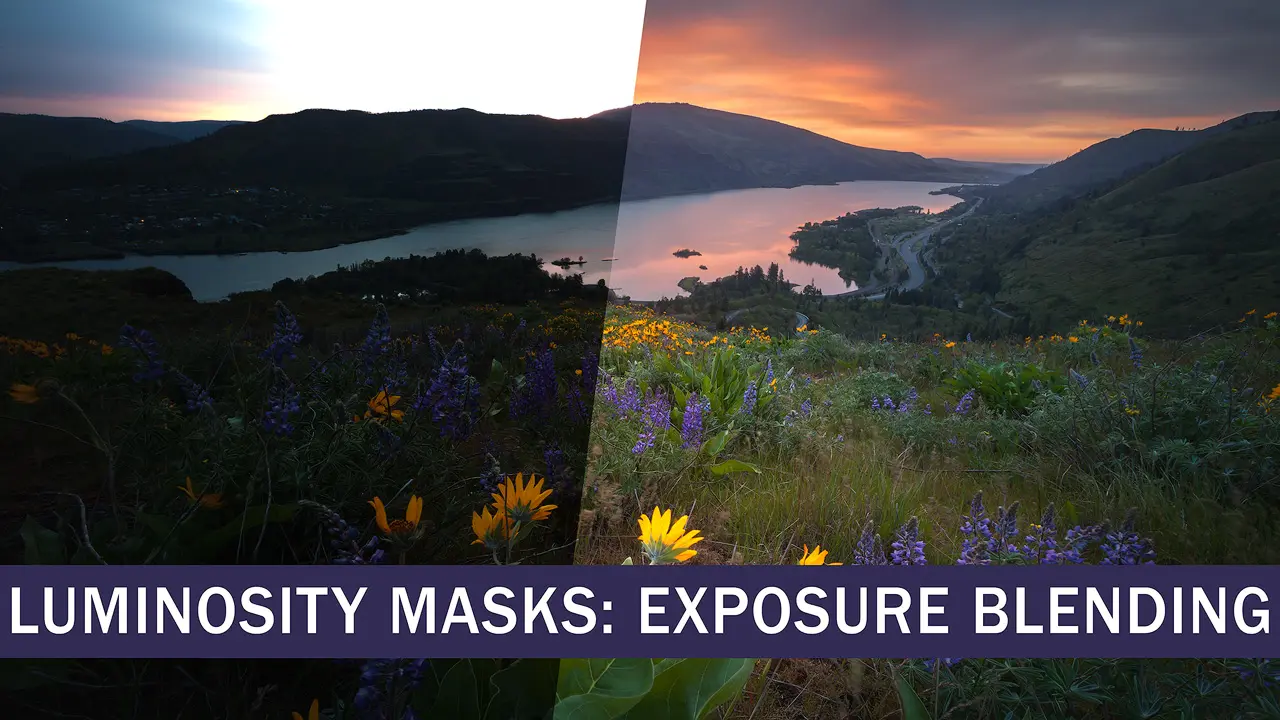
Exposure blending is a powerful and specialized use of luminosity masks that allows you to create a perfectly exposed final image when the dynamic range of light surpasses what your camera can capture in a single exposure.
Even with today’s advanced cameras, some lighting situations still demand bracketing and exposure blending. These conditions—often the most dramatic and photogenic—make blending essential for creating a high-quality, natural-looking final image that a single exposure can’t achieve.
For over two decades, I’ve been refining my exposure blending technique and continually incorporating new ideas to make the process simpler and more effective. The method I teach in this course is my most streamlined and successful approach yet, so photographers of any skill level can easily learn it.
LEARN HOW TO EXPOSURE BLEND:
- Sunrises/Sunsets/Sun in the frame
- Trees against a bright sky
- Reflections
- Narrow canyons/caves
- Forest spotlighting
- Night cityscapes
- Architectural interiors
- Exposure blend + focus blend & perspective blend
- 12 chapters + 5 newer bonus chapters.
- Over three hours of instruction.
- Full-resolution practice images.
- 2560 x 1440 Quad-HD video resolution.
- English subtitles and complete transcripts.
- Software used: Lightroom, Photoshop, and TK9 plugin.
Luminosity Masks: EXPOSURE BLENDING
I love to photograph the rainforest, but highlights and shadows can make it very difficult and HDR software has never been satisfactory for me. Trying your approach, voila! The images blend almost effortlessly, especially augmented by Tony's software.
- David Eckels davideckelsphotography.com
Before watching your course I couldn't figure out how to use luminosity masks for blending. You explained it so clearly. I just finished my first blend with it, and following your techniuqe, it blended perfectly.
- Jonathan Hamel @luxbender
Sean, as always . . . you have created another amazing training video and I would highly recommend this to everyone. Your teaching style is very calming and relatable. It's such a great value.
- Keith Pinn kpinnphotography.com
Course Previews
Luminosity Masks: BASIC
$25
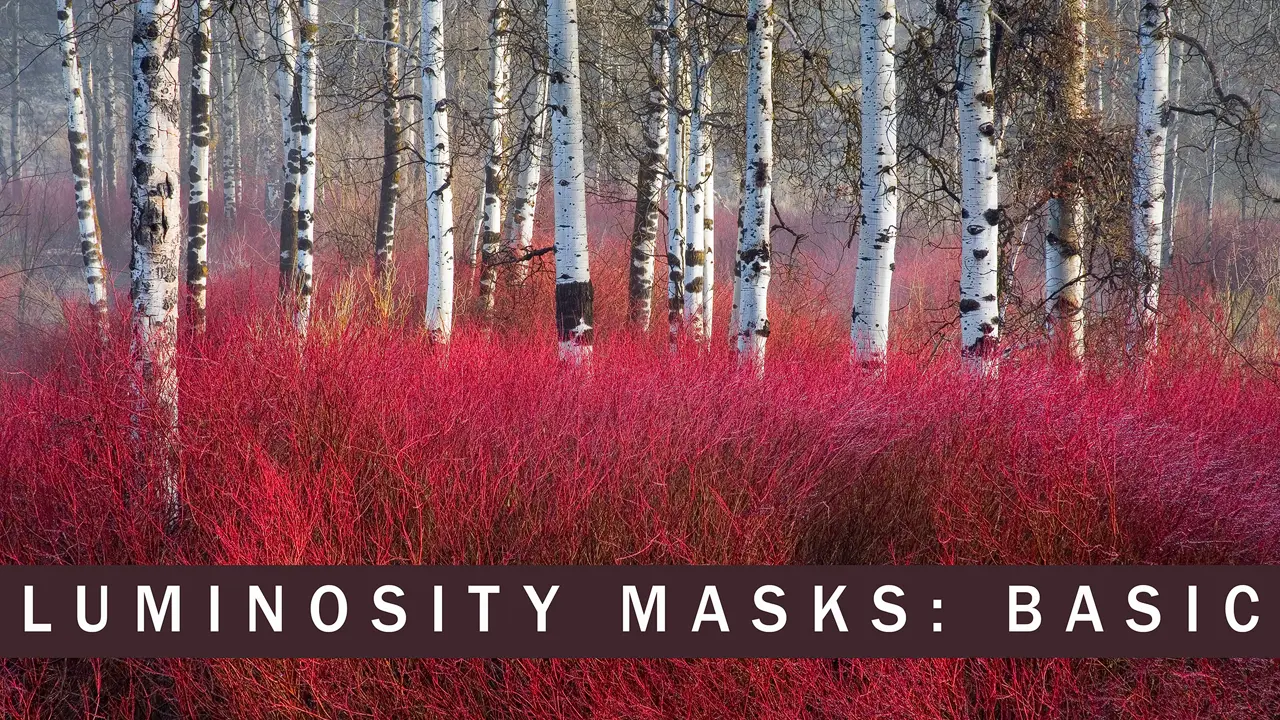
Luminosity Masks: Basic is the perfect introduction for photographers looking to learn and apply luminosity mask techniques in their work. This course breaks down the essential concepts of luminosity masks into easy-to-follow lessons, ideal for those familiar with Photoshop's core tools. You'll learn to create and modify luminosity masks using the TK plugin, allowing you to make focused and nuanced adjustments that standard masks can't achieve. Whether you're just starting out or looking to refresh your skills, this course will provide a solid foundation for creative image editing.
- 10 chapters.
- 1-1/2 hours of instruction.
- Full-resolution practice images.
- 2560 x 1440 Quad-HD video resolution.
- English subtitles and complete transcripts.
- Software needed: Photoshop and TK9 plugin.
TOPICS
- What are luminosity masks?
- Selecting the right mask with TK9.
- Modifying luminosity masks.
- Controlling highlights and shadows with Luminosity Masks.
- Masking a luminosity mask for greater control.
- Painting a custom luminosity mask.
- A quick look at Zone, Color, and Saturation masks.
Watch course previews
Luminosity Masks: BASIC
Luminosity Masks: ADVANCED
$25
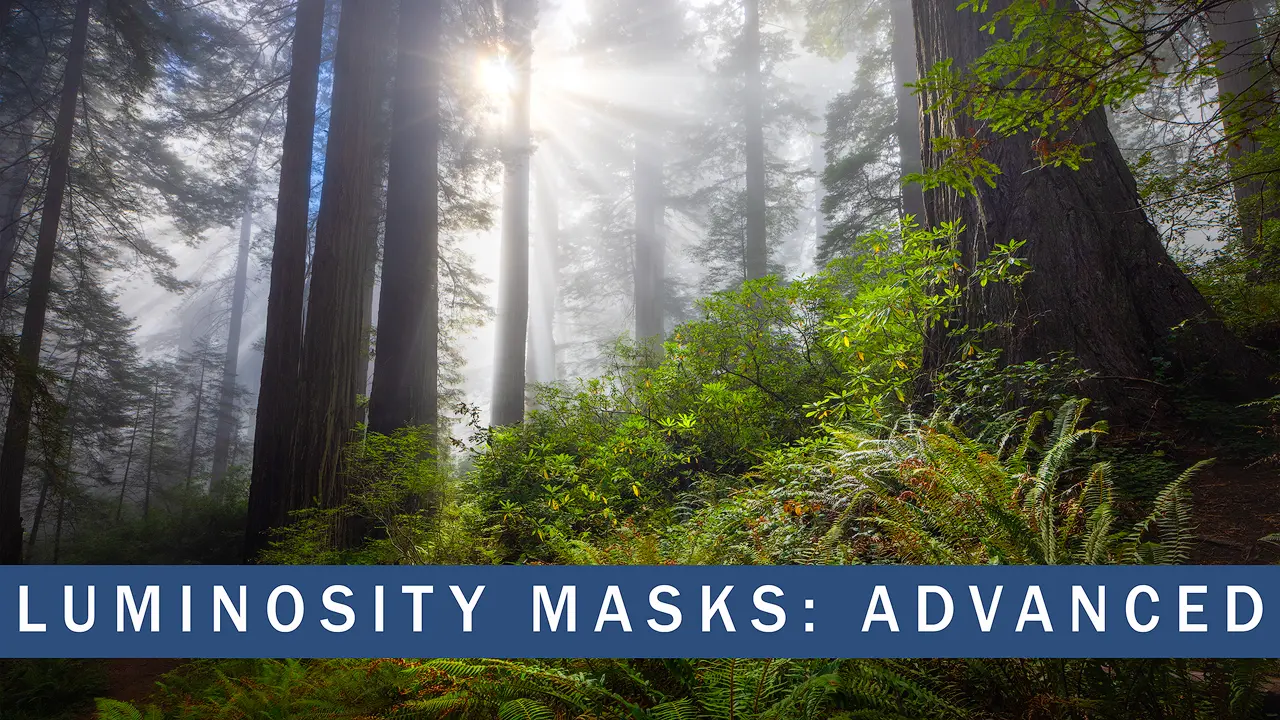
Take your luminosity mask skills to the next level with the Luminosity Masks: Advanced course. Building on the foundational concepts from the Basic course, this tutorial dives deep into advanced techniques like mask calculations, split-toning, luminosity painting, and more. You’ll gain the ability to make highly refined, targeted adjustments in Photoshop, using the latest tools and methods, including the TK Plugin. Whether you're looking to enhance detail, control light, or experiment with creative effects, this course will expand your editing potential and bring new life to your images.
- 8 chapters.
- 1-3/4 hours of instruction.
- Full-resolution practice images.
- 2560 x 1440 Quad-HD video resolution.
- English subtitles and complete transcripts.
- Software needed: Photoshop and TK9 plugin.
TOPICS
- Mask Calculations
- Split-Toning with Luminosity Masks
- Clarity and Dehaze Adjustments
- Luminosity Painting
- Color Dodging
- Glowing Backlight
- Distance Haze
Watch course previews
Luminosity Masks: ADVANCED
Even with years of experience in Luminosity Masking, I felt that additional training could enhance my skills. After completing both courses, I can honestly say I'm amazed by how much I learned about Luminosity Masking and the TK9 v3 panel—well worth the investment.
Nath Kaplan
$33
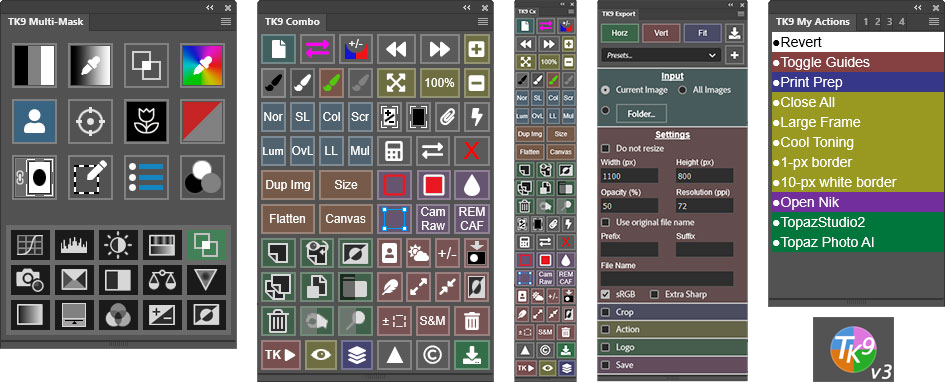
Tony Kuyper's TK9 v3 plugin for Photoshop is the latest version of the standard-setting tool for enhancing your creativity and control in Photoshop. This document lists all of the new features added in Version 3.
- Includes nine modules−Multi-Mask, Combo, Cx, Export, and five My Actions modules.
- Much more than just a luminosity mask panel, it streamlines your entire Photoshop workflow in addition to creating masks based on luminosity, color channels, hue, color, saturation, vibrance, and Blend If settings. Also included are edge masks and focus masks.
- See the full list of features here...
- Easy installation using Adobe's Creative Cloud app. The same installers work on both Windows and Mac (including Apple silicon computers, like Mac M1/M2/M3/etc.). Note: TK9 will NOT work in any version of Photoshop older than Photoshop 2022 version 23.3.0. Also, the Creative Cloud Desktop app is required to install the TK9 plugin. Installation is not possible in "cracked" versions of Photoshop.
TK9 v3 plugin for Photoshop
TK9 Button By Button Guide
$33
Complete button-by-button coverage of everything in the TK9 plugin. These videos are the best reference for in-depth instruction on using the TK9 plugin.
See the complete list of chapters and get more information here.
- 51 video chapters covering all modules, all buttons, all menus, and all functions in the TK9 plugin for Photoshop (Including 5 new chapters for the TK9 v3 update.)
- Demonstrates hidden features, best practices, and many useful tips.
- 8 hours of comprehensive, easy-to-follow instruction.
- Includes practice images and links to additional resources.
NOTE: Does not include the TK9 Plugin.
If you already own this course, don't purchase it again. Redownload it from your original link to get the 5 new chapters.
TK9 Button by Button Guide
Getting Started with TK9 FREE!
 Free mini-series that covers important topics for getting started with TK9. Topics: Installation, Optimizing color space settings, Setting up the Photoshop workspace, TK9 menus and custom settings, How to back up and restore
NOTE: If you have purchased the TK9 Button by Button Guide you do not need to download this free series.
TK9 Getting Started
TK Lum-Mask Plugin Free!
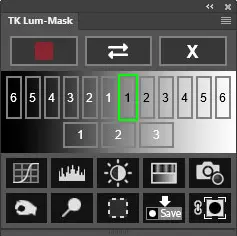 The TK Lum-Mask Plugin is a free basic TK plugin that quickly generates and deploys luminosity masks. This is a great way to get started with Luminosity Masks before upgrading to the full TK9 V3 plugin.
- Makes 16-bit luminosity masks in real-time.
- Multiple output options: adjustment layers, burning/dodging, selections, and layer masks.
- Instructions PDF, installation guide, and best practices for color management included.
TK Print plugin - Free
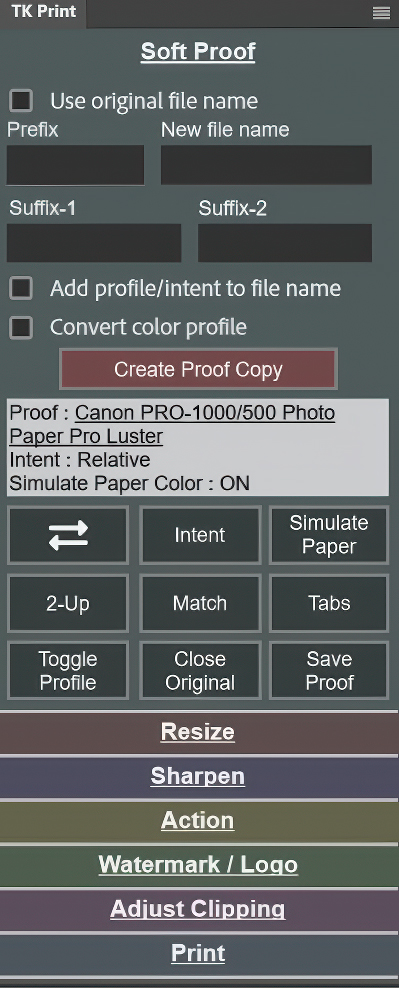 I worked with Tony Kuyper to create the TK Print plugin for Photoshop. It's based on the concepts Zack Schnepf and I teach in the Producing Better Prints video series (available below).
The plugin organizes the Photoshop functions needed for making prints. The TK Print video series (also available on this page), teaches how to use the plugin to make printing in Photoshop easier and better.
Plugin features include:
- Separate sections for each print-making step.
- Tooltips to describe what each button does.
- Solo Mode--only one section is open at a time (minimizes the panel's size).
- Customizable options for file naming, running supplementary actions, and adding logos and watermarks.
Whether you are new to making prints with Photoshop or are an experienced Photoshop printer, the TK Print plugin will make printing more efficient, predictable, and creative.
NOTE: Photoshop 2022 version 23.3.0 or later is needed to use this plugin.
TK Print plugin for Photoshop
TK Print Video Tutorials - Free
This video series teaches how to use the TK Print plugin for Photoshop. I break everything down section-by-section and button-by-button including how to:
- Create soft-proof images.
- Visually test alternative rendering intents and paper simulation.
- Compare and adjust the soft proof with the original image.
- Resize and sharpen for print.
- Run actions and add a watermark or logo.
- Automate routine tasks.
- Fix problems.
There are chapters for each section of the plugin, as well as a chapter that shows how efficient printing in Photoshop can be once the various tasks have been brought together and organized by the plugin.
The TK Print videos offer comprehensive instruction in an easy-to-follow format.
- 90 minutes of instruction (English only).
- 9 chapters, each focused on a single topic or plugin section.
- MP4 video format.
- Transcripts included with directions for adding English captions to the videos.
- 2560 x 1440 Quad-HD video resolution.
TK Print video series
TK Grayscale
& TK Magic Mixer Plugins
$12


These two plugins offer new ways to interact with Photoshop to convert color images to black and white. Both plugins allow for quickly manipulating and testing different black and white settings that would be nearly impossible to replicate using Photoshop alone.
TK Grayscale works via a Black and White adjustment layer. Its purpose is to make it easy to influence tonal contrast in the black and white image by exploiting color differences in the color image.
To learn more about the TK Grayscale plugin and how it works, please visit this page.
The TK Magic Mixer plugin is a more logical and efficient way to interact with Photoshop's Channel Mixer adjustment layer when using its "Monochrome" option. It allows for mixing the Red, Green, and Blue channels while keeping image brightness constant. This makes it possible to experiment more freely with different channel combinations without having to deal with varying brightness at the same time, as is the case when using the standard Photoshop Channel Mixer.
To get a more comprehensive overview of the TK Magic Mixer and to watch a video on how to use it, please visit this page.
If you are looking for new ways to interpret your images, especially in black and white, the Magic Mixer and Grayscale plugins offer some exciting possibilities. Both plugins are included for one low price!
NOTE: Photoshop 2023 version 24.7.0 or later is needed to use these plugins.
NOTE: These two plugins are not translated (English-only).
Both plugins are included for one low price!
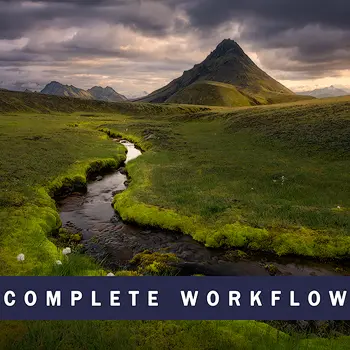
Iceland Highlands is the latest addition to my Complete Workflow series. This extensive tutorial provides a step-by-step journey through my image processing workflow, employing various techniques. In this course, you'll get an inside look at the tools and techniques I use. The applications featured include Lightroom Classic 13, Photoshop 25, and the TK9 Plugin.
Includes:
- Behind Taking The Photo
- Camera Settings and Framing
- Raw Adjustments in Lightroom
- Blending Multiple Frames
- Pre-making Masks
- Creative Vision and Planning
- Step-by-Step Creative Adjustments
- TK9 Workflow
- Over 3 hours of instruction
- 9 Chapters
- Practice images (full-resolution raw files)
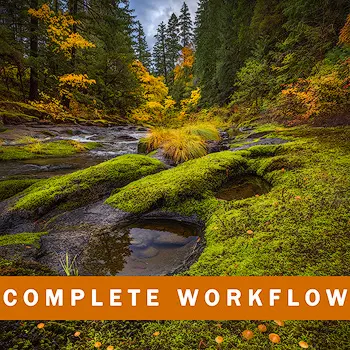
Welcome to the complete workflow tutorial for my photo, Umpqua Autumn. In this course, I’ll take you through my photography and developing of the image from start to finish. Complete workflow tutorials allow you to see how all the pieces fit together, showing techniques in context with the full process. Produced in 2022.
- The story behind the image.
- Information for photographing the necessary image frames.
- My creative vision for the image and ideas for how to develop it.
- Planning and executing the necessary raw level adjustments in Lr.
- Methods for seamless focus blending.
- Techniques for merging perspectives in Photoshop.
- Step by step demonstrations of all the creative adjustments I used for light sculpting, color and contrast.
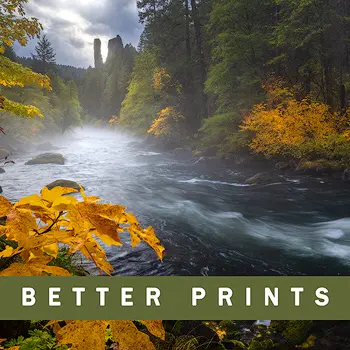
Presented by Sean Bagshaw and Zack Schnepf. Printing can be challenging, confusing, and intimidating and good printing information can be hard to find. In this course, with simple language and clear examples, we share the most important elements of printing without getting bogged down in overly technical details.
- How to print from Lightroom and Photoshop
- Color management and monitor calibration
- Workspace lighting
- Types of printers and print media
- ICC profiles
- Soft proofing
- Sizing for print
- Sharpening for print
- Test printing
- Printing from a home printer
- Ordering prints from a print lab
- Displaying and viewing prints
Comes with a 20% discount at HD Aluminum Prints

Everything an outdoor photographer needs to get the most out of Photoshop CC. Level: beginner through advanced. Produced in 2020.Photoshop essential preferences and settings
- How to use Lightroom with Photoshop
- How to use layers, masks and selections
- Essential tools, adjustments and filters
- Image clean-up
- Fundamentals of smart objects
- Raw adjustment workflow
- Extensive Photoshop workflow examples
- Overview of the TK Panel
- Saving master files
- Optimizing images for the web
- Preparing images for printing
Reduced price!
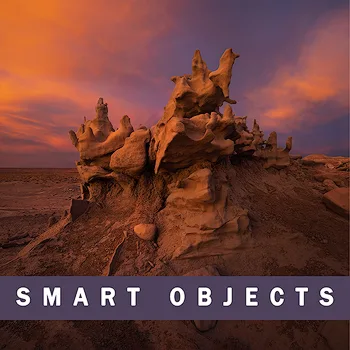
Smart Objects are a Photoshop tool that can open new possibilities in your workflow. Many of us have heard of them and used them. However, they can do sophisticated image adjustments that have gone untapped by even the most experienced Photoshop users. For Intermediate to Advanced Photoshop users. Produced in 2021. Features the TK7 Panel.
- Turn Photoshop filters into smart filters.
- Make Lightroom adjustments in Photoshop.
- Simple and flawless exposure blending.
- Maintain raw data.
- Maximum control over color grading.
- Raw color balancing
- Print sharpening
- Raw noise reduction
- Dehaze cloud sculpting
- Raw light sculpting
- Raw texture and clarity
Reduced price!
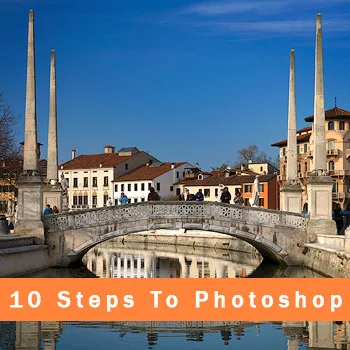
10 steps for getting started in photoshop
A course for people who are brand new to Photoshop. Photoshop gives photographers the most creative control but it can be intimidating. In this tutorial, I take you through the basics slowly and clearly to help you get started. After this course you will be ready to move on to Photoshop Essentials and my more advanced courses.
Free for my Newsletter Subscribers
Here's how...
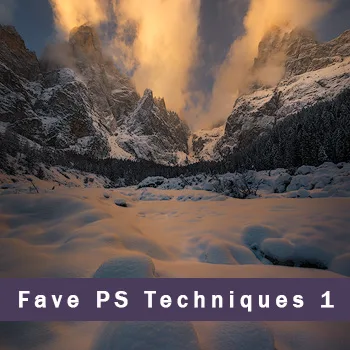
Sean's Favorite Photoshop Techniques Volume 1
In this course, I’m excited to share some of the most useful developing techniques that I have picked up over nearly two decades of photography and creative digital image editing. Includes over 20 techniques that I hope will make your photography better, more creative, higher quality and more fun. Produced in 2019. Features the TK6 Panel.
- Color grading
- Split toning
- Highlight protection
- Mid-tone boost
- Light sculpting
- Digital light painting
- Create depth, drama and dimension
Get Fave PS Techniques 1&2 together and save 10% with code: OEPcombo10
Reduced price!
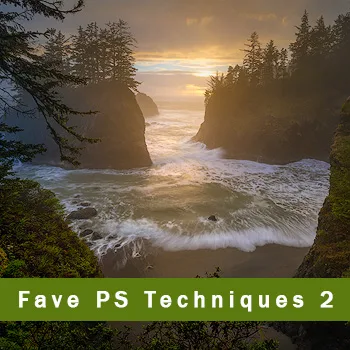
Sean's Favorite Photoshop Techniques Volume 2
In Volume 2 you will learn even more of my favorite Photoshop developing techniques, compiled over 20 years of image developing. It is hard for me to pick favorites, but I certainly saved some of the very best for Volume 2. Produced in 2019. Features the TK7 Panel.
- Fast exposure blending methods
- Edge issue and halo fixes
- Persistent chromatic aberration fix
- Removing flare and footprints
- Clarity and dehaze methods
- Lab Color adjustments in an RGB image
- Luminosity painting with color
- Soft light/Orton methods
- And a lot more...
Get Fave PS Techniques 1&2 together and save 10% with code: OEPcombo10
Reduced price!